


When math homework ends in tears, it often is not about effort—it is about access. Some children process ideas best through diagrams, colour, movement, and patterns, so “just listen to the explanation” falls flat. In this guide to math apps for visual learners, you will learn which features actually help kids ages 4–12 understand concepts, how to keep screen time purposeful, and how to spot tools that build real skills you can see at home.
Why some kids need to “see” math first
Visual learning means your child understands information better when it is presented as pictures, models, animations, graphs, or spatial relationships. It does not mean your child cannot learn through words; however, visuals can reduce cognitive load (the amount of mental effort needed to hold and use information) so they can focus on the math itself.
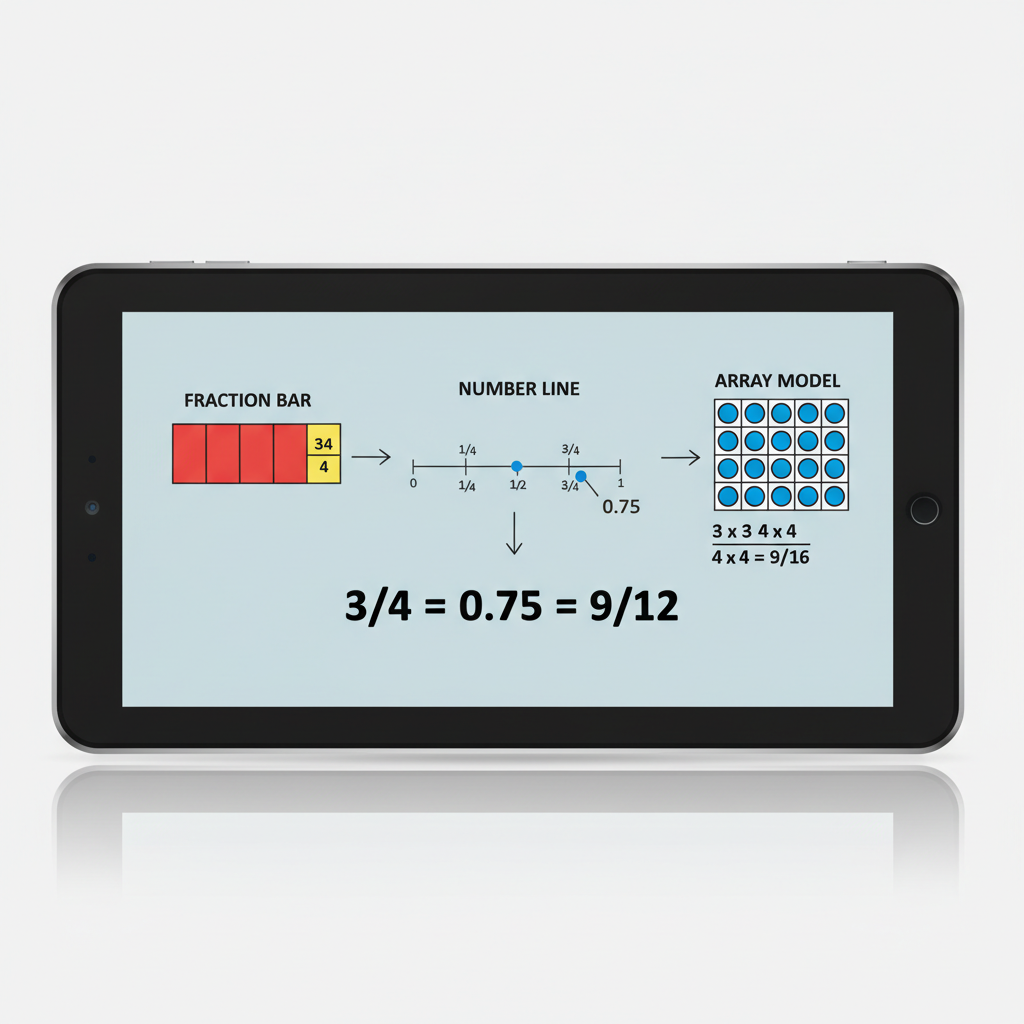
For example, many children grasp place value faster with base-ten blocks on screen than with a verbal description. Similarly, fractions often “click” when kids can adjust a shaded bar or split a circle and watch the parts change.
Research summaries describe visual–spatial thinking as an important part of learning math, especially for geometry, measurement, and representing quantities. For a plain-language overview of how visual–spatial skills connect to learning, you can review background reading on spatial intelligence (Britannica) and the broader concept of visual learning (Wikipedia).
Signs your child may benefit from math apps for visual learners
You do not need a label to try visual supports. Instead, watch for patterns during homework, board games, and everyday tasks.
- Your child understands after you draw a picture, use counters, or show a number line.
- They confuse steps in a procedure (like multi-digit subtraction) but improve with colour-coded place value.
- They remember “what it looked like” more than what was said.
- They do well with puzzles, LEGO, maps, or pattern games, yet struggle to explain math verbally.
- They rush worksheets but slow down and succeed when math becomes interactive.
However, visual tools work best when they lead to explanation. Aim for your child to describe what they see, because talking about a model builds mathematical reasoning (explaining why something works, not only getting an answer).
What to look for in a strong visual math app
Not every colourful app teaches well. Many “game-like” products reward speed, not understanding, therefore you want features that make thinking visible.
| Feature | Why it matters for understanding | What you can watch for at home |
|---|---|---|
| Interactive models | Kids manipulate objects (blocks, bars, tiles), which links actions to meaning. | Your child adjusts a model to test an idea, not just taps quickly. |
| Multiple representations | Shows the same idea as a picture, equation, and number line, building connections. | They can switch views and explain what stays the same. |
| Immediate, specific feedback | Helps kids correct misconceptions right away. | The app explains “why,” not only “wrong.” |
| Progress you can interpret | Parents need clear skill info, not just points or badges. | You can see which concept improved (for example, fractions on a number line). |
| Short, focused lessons | Supports attention and reduces overload, especially after school. | 10–15 minutes feels productive, not draining. |
Also check privacy and age settings. In Canada, it is wise to prefer tools that clearly explain data use, offer parent controls, and avoid open chat features for children.
How to match apps to Canadian learning goals (without stress)
Education is provincially and territorially managed in Canada, therefore expectations vary by region. Still, most elementary math programs emphasize similar foundations: number sense, operations, patterns, measurement, geometry, and data.
To keep your app choice grounded in real learning goals, anchor it to official curriculum documents. For Ontario, the Ontario curriculum hub helps you find grade expectations. For British Columbia, you can review BC’s curriculum site (including math competencies and content).
When you preview an app, look for the concept focus, not the grade label alone. For example, a Grade 3 child may need a Grade 2 visual module on regrouping, and that can be a smart, confidence-building step.
Visual tool picks and what each does best
Below are widely used, reputable tools that parents can explore. These recommendations focus on how the tools present math visually, therefore you can choose based on your child’s needs rather than hype.
- Khan Academy: Clear visuals, step-by-step examples, and practice. Many lessons use diagrams and number lines, and progress tracking is straightforward.
- GeoGebra: Strong for geometry, graphing, and visual exploration. It is especially helpful when children want to “move” shapes or see how graphs change.
- Desmos: Excellent visual graphing and interactive activities. While graphing is more common later, many children enjoy exploring patterns and coordinates with guidance.
- The Math Learning Center Apps: Digital manipulatives (like number frames and fraction pieces) that mirror hands-on classroom tools.
- Matific: Visual, interactive tasks that emphasize conceptual understanding. Parents can monitor activity and topic coverage.
However, the “best” tool depends on the goal. If your child struggles with fractions, choose strong fraction visuals. If the issue is word problems, choose tools that support diagramming and representing information.

Simple at-home routine: 15 minutes, 3 days a week
Apps help most when they fit into a predictable routine. Therefore, keep sessions short, repeat the same structure, and end with something off-screen.
- 2 minutes: Ask a goal question, such as “Can you show me what 3/4 looks like?”
- 10 minutes: Use one visual activity in the app (stop after success, not after fatigue).
- 3 minutes: Off-screen explanation: your child draws the model or teaches it back to you.
If your child gets stuck, pause and ask, “What do you notice in the picture?” This shifts them from guessing to observing, which is a core math habit.
Common pitfalls (and how parents can prevent them)
Even high-quality apps can backfire if the setup is wrong. The goal is understanding, not endless practice.
- Too much speed: If the app rewards fast tapping, slow it down by asking for a quick sketch after each question.
- Too many tools at once: Use one primary app for 4–6 weeks, therefore you can see real progress.
- Passive watching: Choose interactive tasks where your child manipulates objects and makes choices.
- Screen-time battles: Set a visible timer and end with a small win. Consistency beats long sessions.
If you want a trusted baseline for healthy tech habits, Canada’s public health guidance can help you set boundaries without guilt. The Canadian Paediatric Society’s screen-time guidance provides practical, age-aware advice for families.
Tools & Resources you can trust (official sites)
To keep your choices evidence-informed, use these reputable starting points:
- UNESCO glossary: cognitive load theory (explains the term in education context).
- Khan Academy (free lessons and practice with strong visuals).
- The Math Learning Center Apps (visual manipulatives aligned with classroom models).
- GeoGebra (interactive math visuals, especially geometry).
- Desmos (visual activities and graph exploration).
Information sources (and why they were chosen)
This article relies on reputable, open sources that parents can verify:
- Ontario Government: Elementary and secondary school curriculum
- Government of British Columbia: BC Curriculum
- Canadian Paediatric Society: screen time and young children
- Britannica: spatial intelligence
- Wikipedia: visual learning
Concluding Paragraph
The biggest win is not finding a “perfect” product—it is helping your child feel that math makes sense. When you choose tools with interactive models, clear feedback, and a short routine, you can turn confusion into visible understanding. If you are exploring math apps for visual learners, start with one concept your child finds hardest, practise for 10 minutes at a time, and end each session with a quick drawing or teach-back.
About Think Academy
Think Academy Canada is a K-12 mathematics tutoring programme, part of TAL Education Group. We work with motivated students across Canada from Grade 1 through Grade 12, with a focus on Ontario curriculum, EQAO preparation, and competition mathematics including CEMC contests (Pascal, Cayley, Fermat, Euclid) and AMC. All lessons are delivered online. Follow us on Instagram at @thinkacademyca.

